77X
For those of you who follow our thread at x-pilot, you know that an announcement is coming. If not, let us be the first to say, “without further ado.”
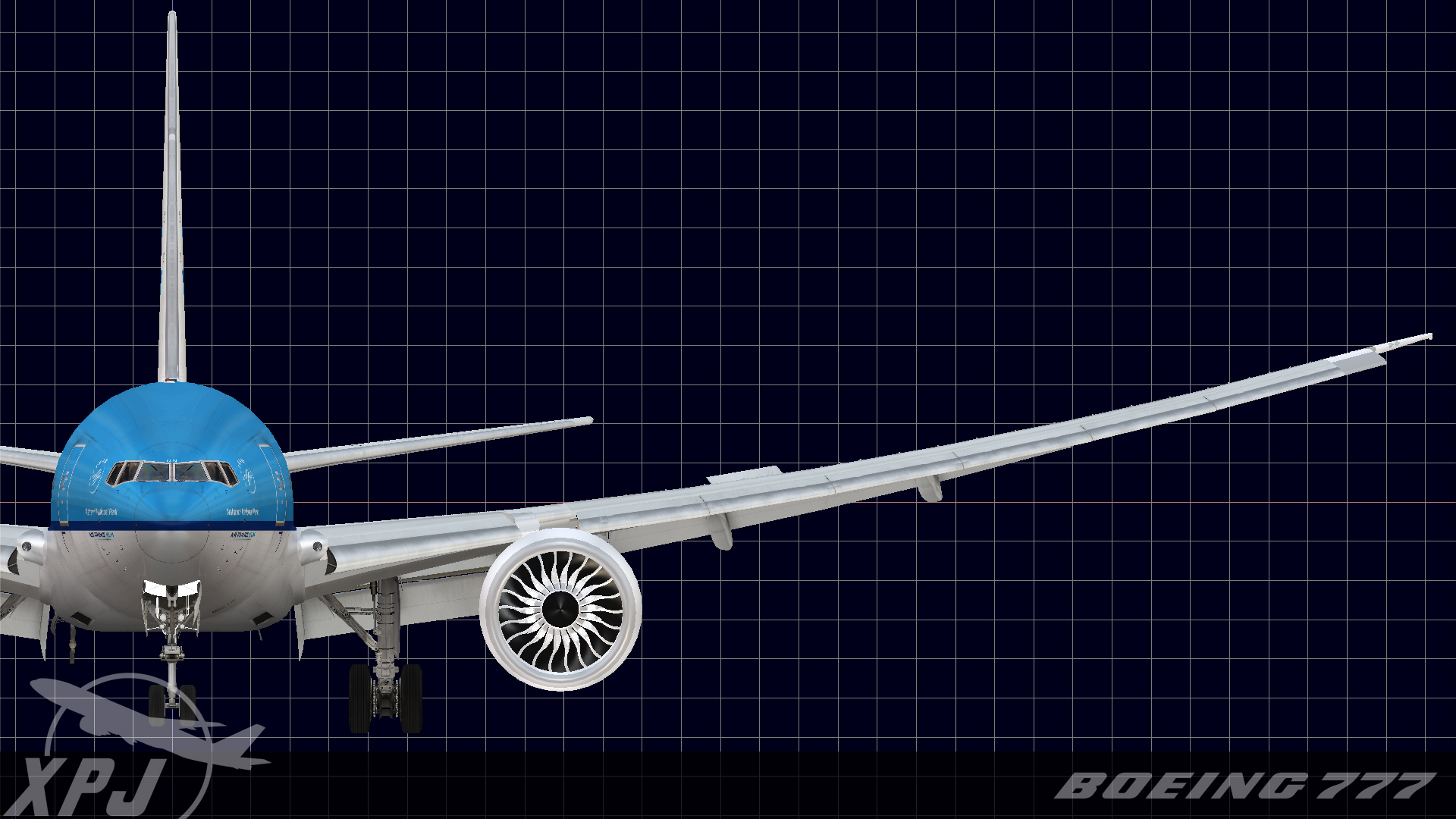
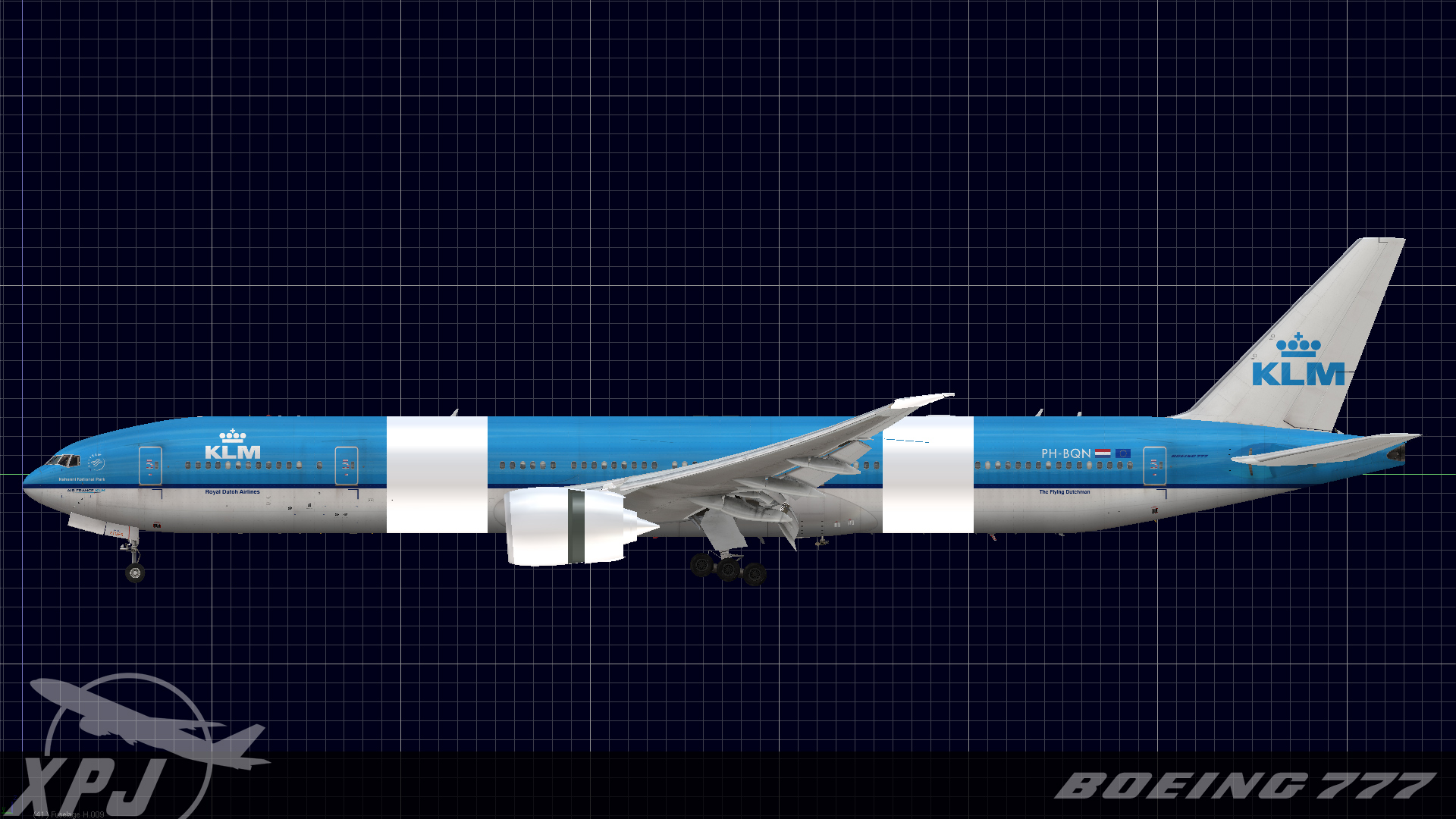
About a month ago Alex was looking at the 777 operators list on wikipedia. Back when we really got into the project, the 772ER was the most popular variant of the bird flying. The 777-200LR (77L) and the 777-300ER (77W) were in their infancy. Turns out that over the course of just a few years, the balance has shifted. By far the most popular version with carriers of the 777 is also our favorite, the 77W (now this is in terms of orders…there is a lot of backlog). We’ve wanted to get a move on with some of the other variants for along time now and these new figures gave us just the excuse that we needed to get started on the 77W conversion. The modifications also open the door to the 200LR and 200LRF to complete the entire 777 line.
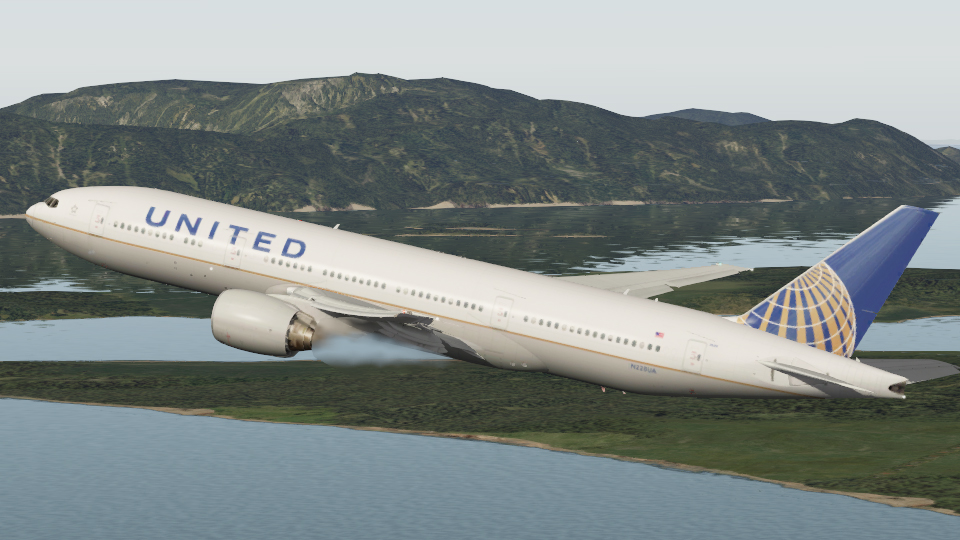
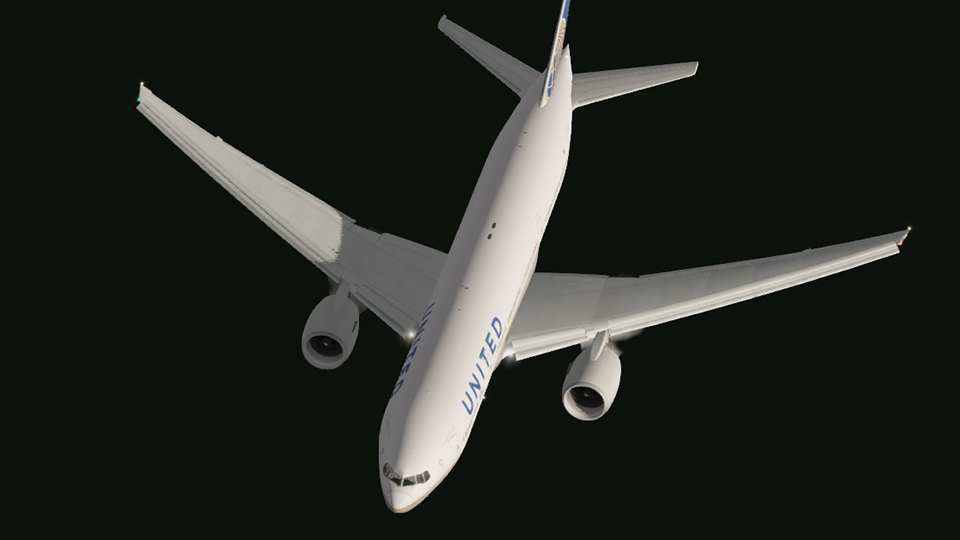
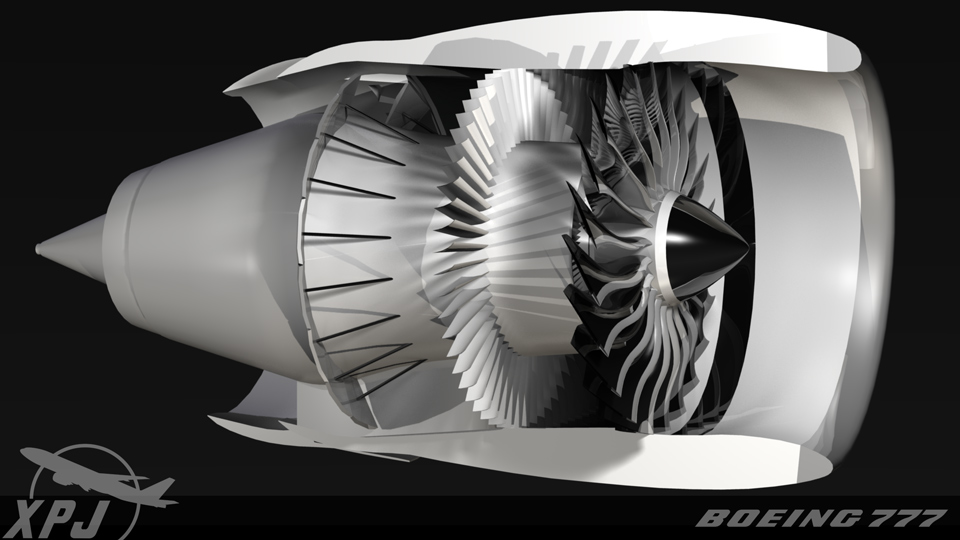
Our release schedule is still going to focus on putting the 200ER out the door first, but we thought it worthwhile to share some of the new stuff with you. The stretch has also given way to further refinement of the details including wing components and landing gear components. More importantly though, we’ve got brand new GE90-110B and 115Bs, modeled from the ground up and detailed to the hilt. There is a little bit more work to do with the engines obviously, but they are at a point now where they’re pretty enough to show them off.
Keep in mind that this is just a future development announcement at this time. Our full time priority is still the 200ER. We’re going to put up comprehensive 200ER progress report sometime next month (which consequently will all feedback into the 77W anyway…gotta love parallel development). You want it, and we want it. With that goal in mind, its a no brainer ‘win win’ for all of us.
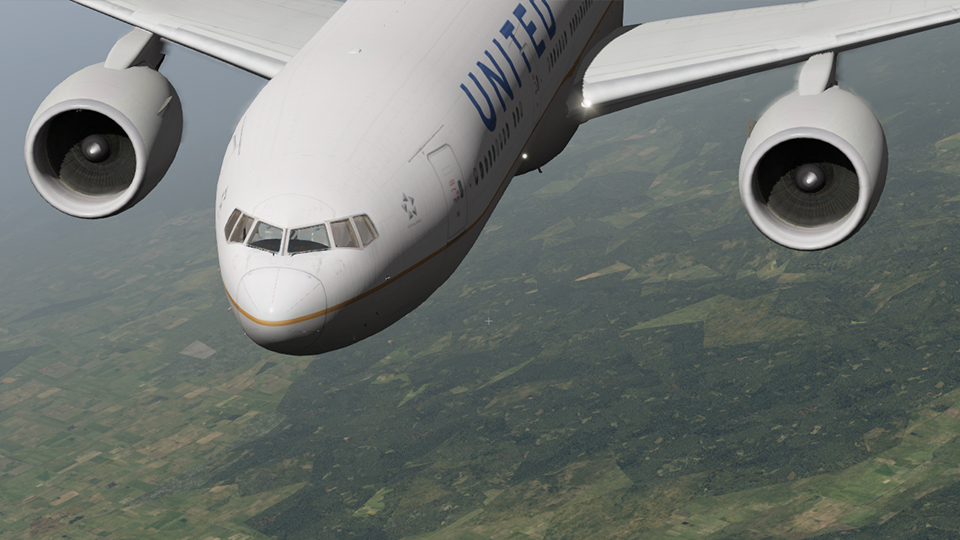
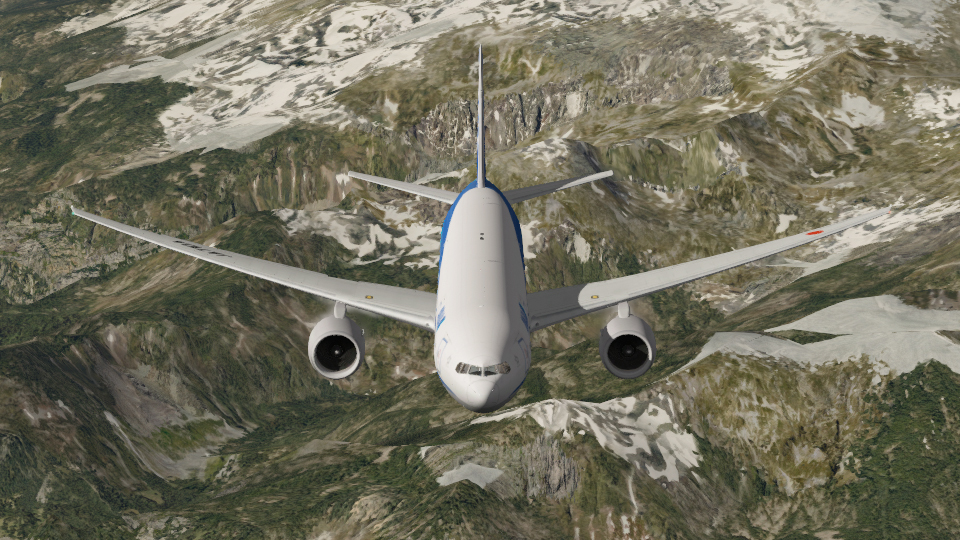
Some images. All white areas are areas are where new geometry has been applied or old geometry updated. We’ll get to texturing the new stuff in due time.
From all of us at XPJets, enjoy!
Blender tricks
I love finding new things in Blender. Actually, last night opened up a world that was briefly open to me years ago and shut down again due to the lack of flexibility in the X-Plane object format.
I’ve been working on some new developments that we’ll announce shortly, but long story short, I’m building and having to animate more complex systems. And in order to do it to the fidelity that I like, it requires keyframes, and lots of them. I do believe that the 777 gear all is roughly 30 keyframes per strut just in the retract and extend cycles. All of the scissor drag links are a royal pain as I’m sure many of you out there in dev land know. To get to the point, I have rediscovered inverse kinematics. By adding IK constraints to my armature rigs, I am able to forego manually setting up animation strings, rotating each bone a few degrees and praying that things all will still line up keyframe after keyframe. Now all I have to do is define how the bones in my armatures should behave in relation to each other and other geometry. The biggest advantage to this is simply the time saved in order to pull entire complex systems together. To quote Mr. Spock, “Admiral, if we go ‘by the book,’ like Lieutenant Saavik, hours could seem like days.” Now I’m not going to elaborate on the technique specifics in this post. I’ve just been playing with stuff in my test files and I’d rather have something 777 related to show it off with. Stay tuned for Blender tricks part 2, and developers, I promise, if you’re not doing this already, you’ll like it
It turned my animation world upside down when I found out how to overcome the last few obstacles. Happy building!
Cheers!
Alex
Welcome Home Atlantis
Even since I was a kid, I’ve read books about space, watched the space shuttle, and absorbed absolutely everything that I could about the program. I wouldn’t have dreamed as a kid that I’d ever see the end. Dhruv and I both just watched Atlantis reenter and touch down not ten minutes ago. It was an absolutely sublime landing. This is just our heartfelt congrats to the STS135 crew, congrats to the folks at mission control for their final shuttle mission, and congrats to the ship that for so many years has sent mankind into space. We’ll all miss you. Goodnight, and to the future.
Little Victories, Large Post
Lets be honest…I’ve been an X-Plane dev for many years now. I started back in v5 as a tinkerer and here we are on the brink of v10. There are moments though as a dev where you think, “Wait? Did I really just do that?” Admittedly, as many of these did I just do that moments are because you’ve done something rediculous…like nuked your entire scene in Blender before you had a chance to save when you meant to erase just a few vertices. Erase ALL is inexplicably evil and when you’re keyboard quick, its often over before you realize what happened. A string of expletives later, you a dig through the tmp folders hoping to god that there is a last blend save that you can refer to. More often than not, especially if you’ve already quit blender, its too late and you’re back to square one. Then there are the times where you realize that you’ve built your entire aircraft in Plane Maker to the wrong scale so you sit there with a calculator (hopefully an advanced one where you can set up constants as letters) and scale each value to the proper proportions. Believe me when I say that a lot of things happen…most of the time its sudden and temporarily painful. Ask any X-plane dev and they’ll tell you, disaster comes with the territory.
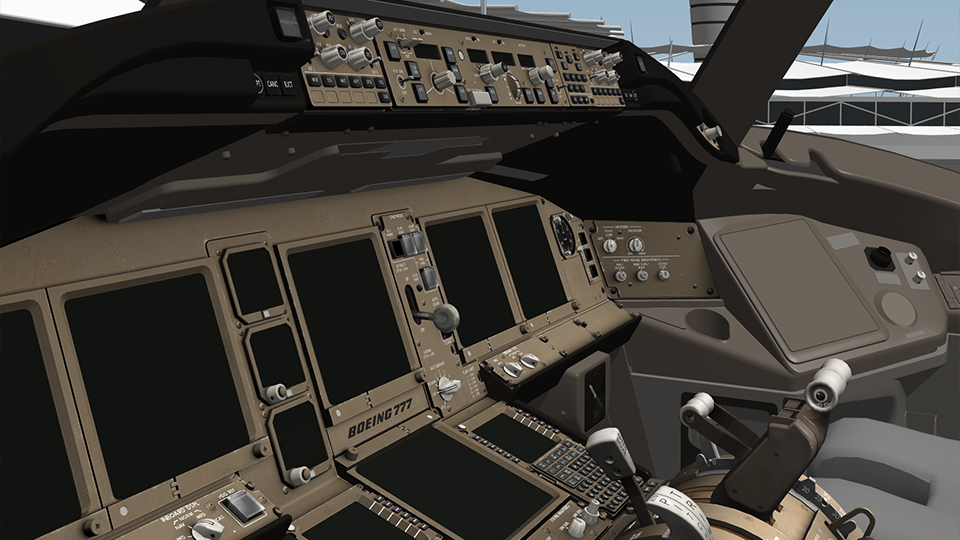
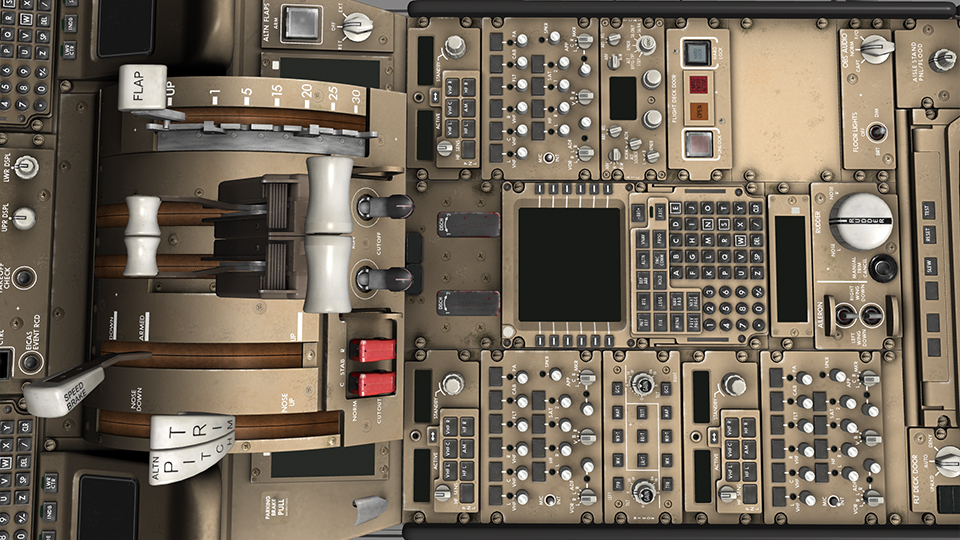
Then you have the did I just do that moments where the answer was staring you in the face for hours. A new train of thought later and the results are better than what you could have hoped for. Yes, I may be waxing poetic a bit, but I had one of those this evening, and I’ll get back to it momentarily. I’ve actually had several over the past week. I’ve just started really getting into texturing the 3d pit of the 777 and its already been an experience. Some of those moments are just learning new facets of the tools that we rely on to do our work. Some of it is realizing that I can bypass some of the export limitations and achieve greater resolution in my object file for more precision in the geometry where it is needed. Some of it is finding new software to help out what used to take much longer to achieve. Others are techniques conceived in conversations with my colleagues to get past those brick walls that we inevitably run into every now and then. I’m always amazed that the small stuff is harder than the big stuff. I know that some of you are waiting for ‘thee to get to thine point’, and yes, I know that my rambling probably isn’t the most interesting thing going on in cyberspace.
I suppose that my point is that even after years of playing around with this, the sim and the development process still has the capacity to frustrate and surprise you. This evening’s puzzle was how to texture the gear handle knob. Its a semi translucent piece of plastic or acrylic. I found that it is not a straightforward process because most of the light scattering happens below the surface. In the right circumstances, this object can appear to be illuminated from within below the surface. While its likely that you could hand texture the knob to some degree of convincing success, I wasn’t convinced that a simple texture was going to be the solution. How the mesh is unwrapped is nearly as important as the material used to render out the texture. Its shaped like a wheel yes? Okay, so what do we do? You can treat it like a hub and wheel situation with two disjointed pieces. I’m not a fan of the texture split for solids like this. Spherical unwrap gets closer, but there are fiddly bits where the effective texture resolution is zero on the wheel due to the unwrap. Long story short, the wheel ended up being unwrapped as a hub projection with a series of concentric rings radiating from the center. Unfortunately, this solution ultimately cut out the easy photoshop option. I had to dive deep into materials and try my luck at achieving the appropriate level of internal refraction. Lets just say that for hours I struggled with this. Nothing that I did ended up looking convincing. Achieving that perfect, to quote the ever quotable James May, “boiled sweet” look was looking increasingly more and more distant.
So after dinner and a drink, I’m back with the same problem. More test renders and hours pass and I’m still no closer to finding a solution. After some research and digging online, I came across a great website. The Blender Open Material Repository turns out to be a great resource for materials. I’d recommend it to anyone having material and rendering issues. I found an acrylic glass material that I felt I could adopt and modify to serve my needs. Those aha moments, well, analyzing this material’s attributes couldn’t have been more helpful. The render bake went more or less well, followed by some touch ups in photoshop and finally I felt that I had a reasonable base…plenty of diffuse illumination throughout, nice strong highlights where they needed to be etc. Never one to leave anything well enough alone, I took some ideas that Josh had during a conversation today to heart and well, can I say little victory? Imagine if you will a semi transparent doughnut inside another semi transparent doughnut inside another semi transparent doughnut. The result is going to allow you to see specular highlights from within the external mesh. Done carefully, you end up with a transparency gradation that mimics some of the refraction that happens inside the actual handle knob. Victory or not, the fact of the matter remains, this ended up being alot of work for a gear handle. I could easily have gotten much more done on the cockpit today had I just left it and let it fester for a while.
This small victory…literally at just 3 cm in diameter, is one of many that I’ve had, and one more checked off in a line of ideas that haven’t been had yet. Some you arrive at easier. Some are a little more involved. This knob was was especially involved. My whole story may seem a bit anticlimactic, perhaps a touch anecdotal, and in the grand scheme of the cockpit, it really is. However, small victories like these propel developers in new directions. New ways of thinking about things are vitally important. It makes the end result of what we’re working for that much better. And thats why I’m posting. In the name of innovation, small as it may be, it all builds on itself. If I can spread some innovation around, then I’ve done my job. If people can inspire innovation in me, then they’ve done their job. Having said all of this, I am going to attempt to keep this kind of blog posting alive. It gives all of you a sneak peak into some facets of the process. I get to tell a little bit more of my own story in hopes that maybe the community can get to know one of their fellow devs a bit better.
So a little long winded? Most definitely. Informative, insightful, or helpful? I hope so. And as you probably guessed…a little preview of tonight’s small victory. I for one am looking forward to seeing how this gear knob acts in the sim’s lighting.
Cheers
Alex
Gallery Hours Posted
I seldom announce things like this, but I just thought that I’d note that we have we’re starting to put images in the gallery again. Expect at the very least a new image or two a week. Check back often! And as always, please leave any comments or questions in the gallery pages or in the development thread at x-pilot.com. Also, if there is demand for it, I may be persuaded here shortly to render out some high resolution study material of the overhead, forward panel, and center console, just so that you can begin familiarizing yourself with the cockpit layout.
Cheers
Alex